
Key Takeaways
- IWordPress is embracing AI to enhance user experiences, with tools that generate content and improve SEO.
- Headless CMS and Progressive Web Apps (PWAs) are revolutionizing WordPress, offering more flexible and app-like experiences.
- Performance enhancements are key, focusing on speed, lazy loading, and advanced caching to optimize site efficiency.
- Security remains a top priority, with new practices emerging to combat evolving threats.
- Mobile-first design and responsive themes are essential as more users access websites via smartphones and tablets.
WordPress Trends & Innovations: Future Insights

“Surfing the Internet …” from beachgrit.com
As we navigate through websites, WordPress continues to evolve, reflecting changes in technology and user expectations. The platform is embracing innovations that promise to make it more flexible, efficient, and user-friendly. From AI integration to headless CMS, WordPress is set to offer new opportunities for developers and users alike.
Evolution of WordPress
WordPress is expected to continue its evolution by building on the technological advancements of the previous year. Developers will likely see even more integration with AI and machine learning, making websites smarter and more responsive to user needs. This shift aims to create a more personalized and engaging user experience.
Moreover, as mobile usage continues to dominate, WordPress will likely place greater emphasis on mobile-first design. This means themes will be optimized for smaller screens without sacrificing functionality or aesthetics. The goal is to ensure seamless browsing experiences across all devices.
Key Trends Shaping WordPress Development
Several key trends are shaping the future of WordPress development. Among these, the integration of AI and machine learning stands out as a significant game-changer. These technologies are not only enhancing content creation but also improving search engine optimization (SEO) and personalizing user experiences.
Another trend is the rise of headless CMS. This approach decouples the front-end presentation layer from the back-end content management system, offering developers more flexibility to create unique and interactive web applications. With headless CMS, WordPress can serve as a robust content repository while allowing developers to use any front-end technology they prefer.
Impact of Artificial Intelligence on WordPress
Artificial intelligence is making waves in the WordPress ecosystem. By leveraging AI, developers can automate various tasks, from content creation to data analysis. AI-powered tools can generate content ideas, optimize SEO, and even offer personalized recommendations to users based on their browsing history.
For instance, AI can analyze user behavior and suggest content that matches their interests, keeping them engaged and increasing time spent on the site. This level of personalization is becoming increasingly important as users expect more tailored experiences online.
Exploring Future Innovations in WordPress
The future of WordPress is bright, with numerous innovations on the horizon. One such innovation is the integration of Progressive Web Apps (PWAs). PWAs offer app-like experiences on the web, providing fast loading times, offline access, and push notifications. This can significantly enhance user engagement and retention.
Additionally, the focus on accessibility is growing. WordPress is making strides to ensure that websites are accessible to everyone, including those with disabilities. This involves implementing best practices for web accessibility and ensuring that themes and plugins are compliant with accessibility standards.
Enhancements in Website Performance
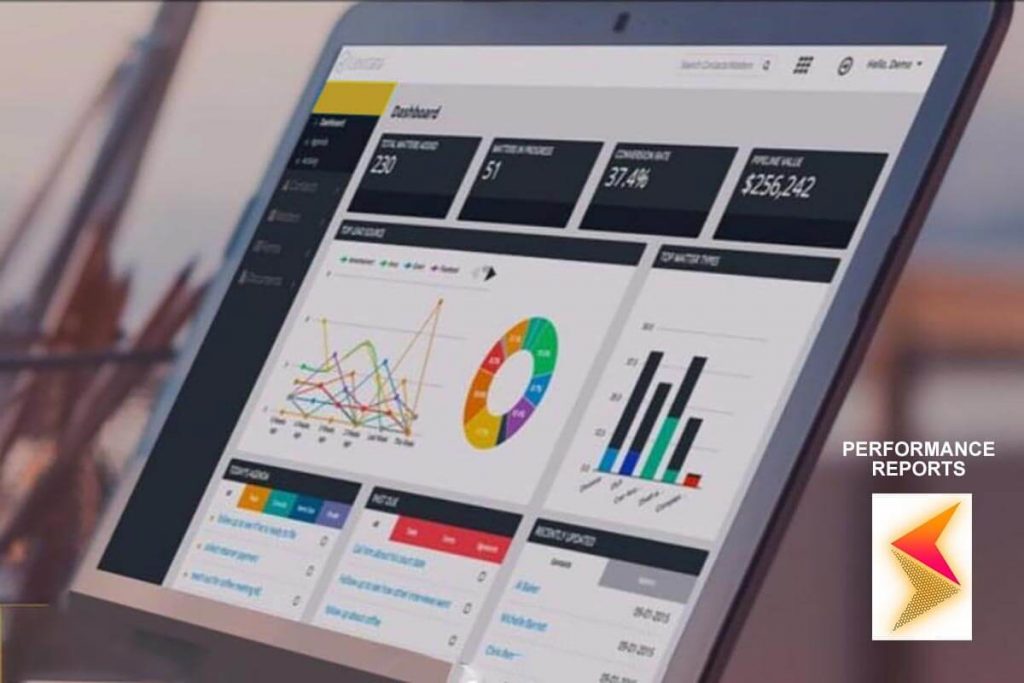
“How to Improve Website Performance for …” from www.hillwebcreations.com
Website performance is crucial for user satisfaction and SEO rankings. As such, WordPress is continually looking for ways to enhance performance, ensuring that sites load quickly and efficiently. This focus on speed and efficiency is vital in keeping users engaged and reducing bounce rates.
Prioritizing Speed and Efficiency
Speed and efficiency are at the forefront of WordPress performance enhancements. Slow-loading websites can frustrate users and lead to higher bounce rates. Therefore, optimizing site speed is crucial. This can be achieved through various techniques, such as minimizing code, optimizing images, and leveraging browser caching.
One effective way to improve site speed is by using a Content Delivery Network (CDN). A CDN distributes content across multiple servers worldwide, reducing the distance data has to travel and improving load times for users globally.
Besides that, developers should also focus on reducing server response times. This can be achieved by using efficient hosting solutions and optimizing database queries to ensure that server resources are used effectively. For more tips on improving site performance, consider these proven techniques to boost WordPress site speed.
Lazy Loading and Image Optimization
Lazy loading is a technique that delays the loading of non-essential resources until they are needed. For instance, images below the fold (not immediately visible to the user) can be loaded as the user scrolls down the page. This can significantly improve initial load times and enhance user experience.
Image optimization is another critical aspect of performance enhancement. Large image files can slow down a website, so it’s essential to compress images without sacrificing quality. Various tools and plugins are available to automate this process, ensuring that images are optimized for the web.
Advanced Caching Mechanisms
Caching is a powerful technique that stores a version of your website’s pages in a temporary storage location. This allows users to access the site more quickly by reducing the need to load all elements from scratch each time they visit. Implementing advanced caching mechanisms, such as WP Rocket techniques, can significantly improve website performance.
There are different types of caching, including browser caching, server-side caching, and object caching. Each type serves a specific purpose and can be used in conjunction to optimize site speed. Utilizing plugins like W3 Total Cache or WP Super Cache can help streamline the caching process for WordPress sites. For more tips on optimizing your WordPress site, check out these WordPress SEO best practices.
AI-Driven Content Improvements
“AI can help in various ways, such as generating content ideas, assisting with SEO, and even creating personalized user experiences.” – Future of WordPress Insights
Artificial Intelligence (AI) is revolutionizing the way content is created and managed in WordPress. By leveraging AI, developers can automate mundane tasks and focus on more creative aspects of website development. AI tools can generate content ideas based on trending topics, ensuring that your website remains relevant and engaging to users. For further insights on enhancing your site’s performance, explore WordPress SEO best practices.
Moreover, AI can assist in proofreading and editing content, making sure that it is free of errors and optimized for readability. This not only saves time but also enhances the overall quality of the content published on your site. By integrating AI-driven content improvements, you can ensure that your WordPress site delivers high-quality, engaging content consistently.
AI is also being used to personalize content for individual users. By analyzing user behavior and preferences, AI can suggest content that aligns with the user’s interests, increasing engagement and time spent on the site. This level of personalization is becoming increasingly important in the digital age, where users expect tailored experiences.
Optimizing SEO with AI
Search Engine Optimization (SEO) is crucial for driving traffic to your website. AI tools can play a significant role in optimizing your site’s SEO by analyzing search trends and suggesting relevant keywords. These tools can also assess your site’s performance and provide recommendations for improvement, ensuring that your site ranks higher in search engine results. For example, implementing proven techniques to boost site speed can significantly enhance your SEO efforts.
AI can also help with link building, a vital aspect of SEO. By identifying potential link opportunities and analyzing competitor strategies, AI can assist in creating a robust link-building strategy that enhances your site’s authority and visibility online.
Personalized User Experiences
In today’s digital landscape, providing personalized user experiences is key to retaining visitors and driving conversions. AI enables WordPress sites to offer tailored experiences by analyzing user data and behavior. For instance, AI can recommend products based on previous purchases or suggest content based on browsing history.
This level of personalization can significantly enhance user satisfaction and increase the likelihood of repeat visits. By implementing AI-driven personalization strategies, you can create a more engaging and user-friendly website that meets the unique needs of each visitor.
Progressive Web Apps and Headless CMS

“Technology Innovations to Get Your …” from www.fusenetworks.com
Progressive Web Apps (PWAs) and headless CMS are two innovations transforming the WordPress landscape. PWAs offer a seamless, app-like experience on the web, combining the best features of both web and mobile apps. They provide fast loading times, offline access, and push notifications, making them an attractive option for businesses looking to enhance user engagement.
Headless CMS, on the other hand, decouples the front-end presentation layer from the back-end content management system. This allows developers to use any front-end technology they prefer while leveraging WordPress as a robust content repository. This flexibility enables the creation of unique and interactive web applications that can be tailored to specific business needs.
- PWAs provide offline access and fast loading times.
- Headless CMS offers greater flexibility in front-end development.
- Both innovations enhance user engagement and experience.
Implementing PWAs and headless CMS can give your WordPress site a competitive edge by providing users with a more dynamic and engaging experience. These technologies are especially beneficial for businesses looking to offer app-like functionality without the need for a separate mobile app.
App-Like Experiences in WordPress
PWAs bring the best of both worlds by offering app-like experiences directly in the browser. This eliminates the need for users to download and install a separate app, reducing friction and increasing accessibility. With features like offline access and push notifications, PWAs keep users engaged even when they’re not actively browsing your site.
Seamless Integration of Headless CMS
Headless CMS offers developers the freedom to use any front-end technology they prefer, whether it’s React, Angular, or Vue.js. This flexibility allows for more creative and customized web applications that can be tailored to meet specific business requirements. By integrating headless CMS with WordPress, you can leverage its powerful content management capabilities while delivering a unique user experience.
Moreover, a headless CMS architecture can improve site performance by separating the front-end and back-end, allowing each to be optimized independently. This can result in faster load times and a smoother user experience, ultimately enhancing user satisfaction and engagement.
Enhancing User Experience
Enhancing user experience is at the heart of WordPress’s future developments. As user expectations continue to evolve, it’s essential for developers to stay ahead of the curve and deliver seamless, engaging experiences that keep visitors coming back for more.
From responsive design to intuitive navigation, every aspect of your WordPress site should be optimized for user satisfaction. By focusing on user experience, you can create a website that not only meets but exceeds user expectations, driving engagement and conversions.
Trends in Theme Development
Theme development is evolving to meet the demands of modern users. In 2023, we see a shift towards more minimalist and clean designs that prioritize functionality and ease of use. Themes are becoming more customizable, allowing developers to create unique and personalized designs that align with brand identity.
Responsive and Adaptive User Interfaces
Responsive and adaptive user interfaces are essential in today’s mobile-first world. With more users accessing websites via smartphones and tablets, it’s crucial for WordPress themes to be optimized for all screen sizes. This ensures a seamless browsing experience, regardless of the device being used.
Focus on Mobile Optimization
Mobile optimization is no longer optional; it’s a necessity. As mobile usage continues to rise, WordPress themes must be designed with a mobile-first approach. This involves creating layouts that adapt to smaller screens and ensuring that all features and functionalities are accessible on mobile devices.
Security Enhancements for Future WordPress
Security remains a top priority for WordPress developers, especially as cyber threats continue to evolve. In 2023, we see a focus on implementing best practices to protect WordPress sites from vulnerabilities and attacks. This includes regular updates, strong password policies, and the use of security plugins to monitor and protect against threats.
Emerging Threats and Solutions
In the evolving landscape of WordPress, security threats continue to pose significant challenges. Cybercriminals are becoming more sophisticated, targeting vulnerabilities in plugins, themes, and even WordPress core files. As such, staying ahead of these threats is crucial for maintaining the integrity and security of your website. For more insights, check out this article on the future of WordPress.
One emerging threat is the rise of brute force attacks, where hackers attempt to gain access by guessing passwords. These attacks can be mitigated by implementing strong password policies and using two-factor authentication. Another common threat is malware injections, which can compromise your site’s data and functionality. Regularly updating plugins and themes can help prevent these vulnerabilities from being exploited. For more information on security measures, check out Wordfence security measures.
“Regular updates and backups are your first line of defense against cyber threats.” – WordPress Security Best Practices
It’s also important to monitor your site for suspicious activity. Security plugins like Wordfence and Sucuri can help detect and block malicious traffic, providing an additional layer of protection. By staying informed about the latest security threats and implementing proactive measures, you can safeguard your WordPress site against potential attacks.
Besides that, educating yourself and your team about security best practices is essential. Regular training and awareness programs can help ensure that everyone involved in managing your site understands the importance of security and knows how to respond to potential threats.
Best Practices for WordPress Security
Implementing best practices for WordPress security is vital to protect your site from threats. Start by ensuring that all software, including WordPress core, themes, and plugins, is up to date. Updates often include security patches that address known vulnerabilities, so keeping everything current is essential. For more comprehensive protection, consider using tools like Jetpack for essential security checks.
Another best practice is to use strong, unique passwords for all user accounts. Consider using a password manager to generate and store secure passwords. Additionally, limit login attempts to prevent brute force attacks and enable two-factor authentication for an extra layer of security.
Regular backups are also crucial. In the event of a security breach, having a recent backup can help you restore your site quickly. Use a reliable backup plugin and schedule automatic backups to ensure that your data is always protected.
Conclusion and Next Steps
The future of WordPress is filled with exciting opportunities and challenges. As the platform continues to evolve, staying informed about the latest trends and innovations is essential for developers and site owners. By embracing new technologies and implementing best practices, you can ensure that your WordPress site remains competitive and secure.
Whether you’re a seasoned developer or just starting with WordPress, there’s always something new to learn. Keep exploring, experimenting, and pushing the boundaries of what’s possible with WordPress. The more you engage with the community and share your knowledge, the more you’ll grow and succeed in this dynamic landscape.
Embracing Change in WordPress Landscape
Change is inevitable, and in the world of WordPress, it’s happening at a rapid pace. Embracing change means being open to new ideas and technologies, and being willing to adapt and innovate. By staying ahead of the curve, you can ensure that your WordPress site remains relevant and effective in meeting the needs of your users.
Preparing for WordPress Innovations
To prepare for the future of WordPress, start by staying informed about the latest trends and developments. Follow industry blogs, attend WordPress meetups and conferences, and engage with the community on forums and social media. This will help you stay up to date with the latest innovations and best practices, such as those discussed in Future of WordPress: 13 Expert Answers for Success.
Additionally, invest in continuous learning and development. Take advantage of online courses and tutorials to expand your skills and knowledge. The more you learn, the better equipped you’ll be to leverage new technologies and create innovative solutions for your WordPress site.
Frequently Asked Questions (FAQ)
As we wrap up, let’s address some common questions about the future of WordPress and how you can make the most of these trends and innovations.
What are the latest trends in WordPress?
The latest trends in WordPress include the integration of AI and machine learning, the rise of headless CMS, and the adoption of Progressive Web Apps (PWAs). These trends are transforming the way websites are built and managed, offering new opportunities for developers and site owners to enhance user experiences and improve performance.
Additionally, there’s a growing focus on mobile-first design and responsive themes, ensuring that WordPress sites are optimized for all devices. Security enhancements and accessibility improvements are also key trends shaping the future of WordPress development.
How will AI change WordPress development?
AI is set to revolutionize WordPress development by automating various tasks and enhancing user experiences. AI tools can assist with content creation, SEO optimization, and personalized recommendations, making websites more engaging and relevant to users. By leveraging AI, developers can streamline workflows and focus on more creative aspects of website development.
What is a headless CMS and why is it important?
A headless CMS decouples the front-end presentation layer from the back-end content management system, offering developers greater flexibility in building web applications. This approach allows developers to use any front-end technology they prefer, while leveraging WordPress as a robust content repository.
Headless CMS is important because it enables the creation of unique and interactive web applications that can be tailored to specific business needs. It also improves site performance by allowing the front-end and back-end to be optimized independently.
“Headless CMS offers the flexibility to use any front-end technology, enabling more creative and customized web applications.” – WordPress Innovations
By adopting a headless CMS approach, developers can deliver more dynamic and engaging user experiences, ultimately enhancing user satisfaction and engagement.
How can I enhance my WordPress site’s performance?
- Optimize images and use lazy loading to improve load times.
- Implement caching mechanisms to reduce server load and speed up content delivery.
- Use a Content Delivery Network (CDN) to distribute content globally and improve site speed.
- Minimize code and reduce server response times to enhance efficiency.
- Regularly update plugins, themes, and WordPress core to ensure optimal performance.
By following these steps, you can significantly enhance your WordPress site’s performance, ensuring a fast and seamless user experience. For more tips, consider exploring proven WP Rocket techniques to boost your site’s speed.
Most importantly, regularly monitor your site’s performance and make adjustments as needed. Use tools like WP Rocket techniques and GTmetrix to identify areas for improvement and track your progress over time.
What steps should I take to secure my WordPress site?
To secure your WordPress site, start by keeping all software up to date, including WordPress core, themes, and plugins. Regular updates often include security patches that address known vulnerabilities. For more detailed guidance, consider reading our essential guide on WordPress security checks.
Implement strong password policies and consider using a password manager to generate and store secure passwords. Enable two-factor authentication for an extra layer of security and limit login attempts to prevent brute force attacks.
Regularly back up your site to ensure that you can quickly restore it in the event of a security breach. Use a reliable backup plugin and schedule automatic backups to protect your data.
Finally, monitor your site for suspicious activity using security plugins like Wordfence or Sucuri. These tools can help detect and block malicious traffic, providing an additional layer of protection for your WordPress site.


Leave a Reply