
Key Takeaways:
- Elementor addons can significantly enhance your WordPress site’s functionality, offering over 60 widgets for customization.
- Essential Addons for Elementor is the most popular with over 2 million active users worldwide.
- Using these addons can improve your site’s speed and performance by minimizing widget overload.
- They offer extensive customization options, allowing you to maintain brand consistency across your website.
- Technical support and community resources are readily available for troubleshooting and design inspiration.
Expanding Your WordPress Tools with Essential Elementor Addons
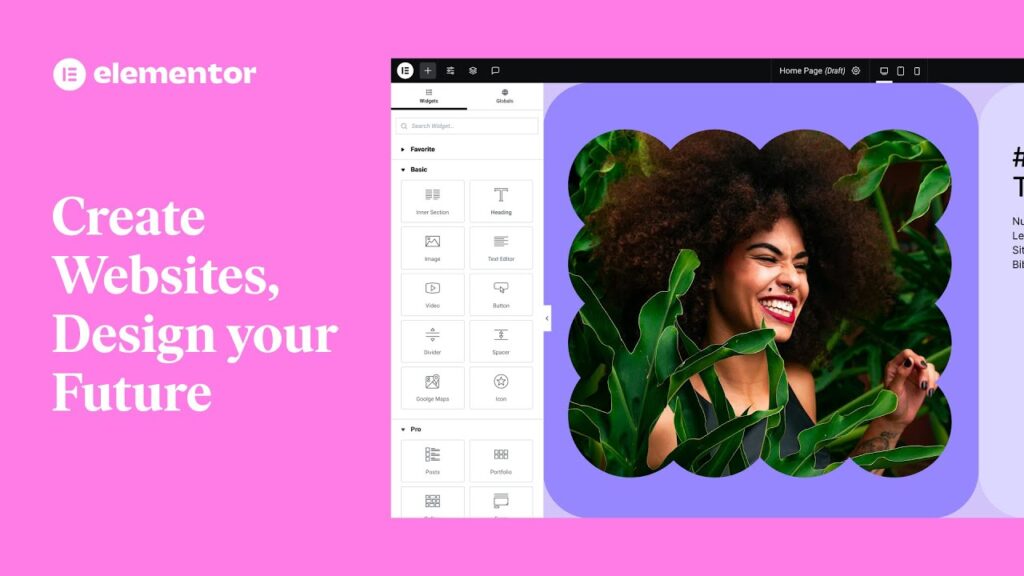
“Page Builder – WordPress plugin …” from wordpress.org
When building a WordPress website, one of the best tools you can have in your arsenal is Elementor. It’s a powerful page builder that allows you to create stunning designs with ease. But what if you want to take your site to the next level? That’s where Essential Elementor Addons come into play. They expand the functionality of Elementor, providing you with more widgets, tools, and customization options. Whether you’re a seasoned developer or a beginner, these addons can enhance your website’s capabilities significantly.
Introduction to Elementor Addons
- Elementor addons are third-party plugins that integrate with the Elementor page builder to add new features and widgets.
- These addons allow you to customize your site further without needing to write code.
- Popular addons include Essential Addons, Element Pack Pro, and Ultimate Addons for Elementor.
- They are designed to be user-friendly and compatible with most WordPress themes.
Elementor addons are like a treasure chest of tools that can make your WordPress site stand out. They provide an array of widgets that are not available in the standard Elementor package. From advanced galleries and sliders to testimonials and pricing tables, these addons cover a wide range of functionalities. This makes it easier for you to design the website of your dreams.
Most importantly, these addons are built with performance in mind. They are optimized to ensure that they don’t slow down your site, which is crucial for maintaining a positive user experience. Plus, they are regularly updated to keep up with the latest web standards and security practices.
Reasons to Expand Elementor Functionality
Why should you consider expanding Elementor’s functionality? The answer is simple: to provide a better user experience and to make your website more versatile. By using addons, you can:
- Offer more interactive elements to engage visitors.
- Create unique and visually appealing designs that set your site apart.
- Improve site navigation and usability with advanced features.
- Streamline content creation with pre-designed templates and blocks.
Besides that, expanding Elementor’s functionality can save you time and effort. Instead of coding custom solutions from scratch, you can leverage the power of these addons to achieve your design goals faster. This is particularly beneficial for small business owners and bloggers who may not have the resources to hire a professional developer. For more insights, check out this comprehensive guide on Divi Builder.
Top Essential Elementor Addons for Success
With so many addons available, it can be overwhelming to choose the right ones for your site. To help you get started, here are some of the top Essential Elementor Addons that can take your WordPress site to new heights:
“Bring your dream websites to life with Essential Addons, the most used, no-code Elementor addon for 2 million web creators from 180+ countries around the globe!”
This quote highlights the widespread popularity and trust that Essential Addons have gained in the web development community. With over 60 widgets, it offers a comprehensive solution for enhancing your site’s functionality.
Element Pack Pro Features
Element Pack Pro is another powerhouse addon that offers a wide range of features. It includes over 190 widgets and extensions, making it one of the most comprehensive addons available. Whether you need advanced forms, creative galleries, or dynamic sliders, Element Pack Pro has got you covered. Its user-friendly interface ensures that you can easily implement these features without any coding knowledge. For those interested in exploring other comprehensive options, check out this Divi Builder guide for more insights.
Enhancing Website Speed and Performance
Speed and performance are critical factors for any website’s success. A fast-loading site keeps visitors engaged and improves your search engine rankings. When using Elementor addons, it’s essential to ensure they don’t compromise your site’s speed. Properly managing these addons can help maintain an optimal performance level.
Minimizing Widget Overload
One of the key steps to enhancing performance is minimizing widget overload. While it might be tempting to use every widget available, too many can slow down your site. Focus on using only the widgets that add real value to your pages. Regularly audit your site’s widgets and remove any that are not essential.
Besides that, consider using a performance optimization plugin to help manage resources. These plugins can defer non-essential scripts and styles, ensuring your site loads faster. Remember, a leaner site often results in a better user experience.
Optimizing Addon Usage
Optimizing the use of addons involves more than just minimizing widgets. It’s about ensuring each addon is configured correctly and serves its intended purpose. Take the time to explore the settings of each addon and adjust them to fit your site’s needs. This can include caching options, lazy loading images, and minifying CSS and JavaScript files.
Additionally, keep your addons up to date. Developers often release updates to improve performance and fix bugs. Regular updates ensure your site runs smoothly and securely.
Customization and Design Freedom

“Oh glorious Sunshine!” from www.pinterest.com
Customization is where Elementor addons truly shine. They provide the tools you need to create a unique, visually appealing website. With these addons, you can easily customize your site’s design to align with your brand’s identity.
Whether you’re looking to create a stunning homepage, a captivating blog layout, or an engaging portfolio, Elementor addons offer the flexibility you need. The design possibilities are virtually limitless, allowing you to craft a site that stands out from the crowd.
Options for Unique Design Elements
Elementor addons offer a plethora of unique design elements. You can incorporate advanced sliders, interactive galleries, and eye-catching animations to enhance your site’s visual appeal. These elements not only make your site more attractive but also improve user engagement.
For example, using an interactive slider to showcase your products can capture visitors’ attention and encourage them to explore more. Similarly, adding animated headlines can make your content more dynamic and interesting.
Customizing Widgets for Brand Consistency
Maintaining brand consistency across your website is crucial for building trust and recognition. Elementor addons allow you to customize widgets to match your brand’s colors, fonts, and style. This ensures a cohesive look and feel throughout your site.
Take the time to adjust the styling of each widget to align with your brand guidelines. Consistent branding helps create a professional image and makes your site more memorable to visitors.
User Support and Community Resources
One of the advantages of using popular Elementor addons is the availability of extensive support and community resources. These resources can be invaluable when you encounter issues or need design inspiration. For more comprehensive tips and tricks, you might find this Divi Builder guide useful.
Accessing Technical Support
Most premium Elementor addons come with dedicated technical support. This means you can reach out to the developers for help with any issues you might face. They can provide guidance on configuration, troubleshooting, and optimizing your addons for better performance.
“Essential Addons for Elementor is backed by a trusted team, ensuring you have access to reliable support and regular updates.”
Besides direct support, many addons also offer comprehensive documentation and tutorials. These resources can help you get the most out of your addons and resolve common issues independently, such as those found in the Divi Builder guide.
Moreover, joining online forums and groups can be a great way to connect with other Elementor users. These communities often share tips, tricks, and solutions to common challenges, providing a wealth of knowledge at your fingertips.
Joining Online Forums and Groups
Engaging with online forums and groups dedicated to Elementor and its addons can be incredibly beneficial. These communities are filled with experienced users and developers who are often willing to share their insights and solutions. By participating in these groups, you can learn new techniques, get feedback on your designs, and even discover new addons that you might not have considered before. For example, you might find discussions on comprehensive tips and tricks for Divi Builder which can enhance your design skills.
To get started, look for groups on platforms like Facebook, Reddit, or specialized WordPress forums. Joining these communities not only provides support but also keeps you updated on the latest trends and updates in the world of Elementor and WordPress.
Conclusion and Final Thoughts

“Mastering Strategic Moves in the Workplace” from www.linkedin.com
Incorporating Essential Elementor Addons into your WordPress site is a strategic move that can significantly enhance its functionality and user experience. These addons offer a wide array of widgets and tools that allow you to create a site that is both visually stunning and highly functional. From improving site speed to providing extensive customization options, they are an invaluable resource for any WordPress developer or enthusiast. If you’re interested in learning more about enhancing your WordPress site, check out our guide on Divi Builder tips and tricks.
Most importantly, these addons empower you to design with creativity and precision, ensuring your site aligns with your brand’s identity. With the support and resources available, including technical assistance and community forums, you can confidently navigate any challenges that arise.
As you continue to explore and implement these addons, remember to focus on the essentials that truly enhance your site’s value. This approach will not only improve your website’s performance but also elevate the overall user experience.
Frequently Asked Questions (FAQ)
Here are some common questions about Essential Elementor Addons and their impact on WordPress sites. For those interested in exploring more about WordPress themes, you might find this Neve Theme Q&A helpful.
What is the best addon for Elementor?
The best addon for Elementor largely depends on your specific needs. However, Essential Addons for Elementor is widely regarded as a top choice due to its comprehensive features and ease of use. It offers over 60 widgets and is used by millions worldwide, making it a reliable option for enhancing your site.
How do Essential Addons impact website speed?
Essential Addons are designed to be lightweight and optimized for performance. By minimizing widget overload and configuring settings properly, you can maintain or even improve your site’s speed. It’s crucial to regularly update your addons and utilize performance optimization plugins to ensure optimal performance.
Is technical support available for Elementor add-ons?
Yes, most premium Elementor addons offer dedicated technical support. This includes access to a support team that can assist with troubleshooting and configuration. Additionally, many addons provide comprehensive documentation and tutorials to help you get the most out of their features. For more information, you can explore various Elementor addons available.
Can I use these add-ons on WordPress.com sites?
Using Elementor addons on WordPress.com sites can be limited, as WordPress.com does not allow the installation of third-party plugins on its free plan. However, if you have a Business or eCommerce plan, you can install plugins, including Elementor and its addons, to enhance your site’s functionality. For those interested in exploring key features of popular WordPress themes, there are many resources available to help you optimize your website.
How frequently are these addons updated?
Developers regularly update Elementor addons to ensure compatibility with the latest WordPress and Elementor versions. These updates often include performance improvements, bug fixes, and new features. It’s essential to keep your addons updated to maintain site security and performance.
In conclusion, Essential Elementor Addons offer a powerful way to elevate your WordPress site. By choosing the right addons and optimizing their use, you can create a site that is not only visually appealing but also performs exceptionally well. Stay engaged with the community, and you’ll continue to find new ways to enhance your site’s capabilities.


Leave a Reply