
Key Takeaways
- WPML and Elementor together create a powerful combination for building multilingual websites without coding knowledge
- Expanding your website into multiple languages can increase your global traffic by up to 70% and significantly boost conversion rates
- The WPML plugin seamlessly integrates with Elementor, allowing you to translate every aspect of your pages including templates, widgets, and dynamic content
- Setting up a multilingual site requires just 5 straightforward steps that even non-technical users can follow
- WPML offers advanced translation management features including professional translation services and AI-assisted translation to save time and ensure quality
Unlock Worldwide Audiences with WPML and Elementor

“Global Reach Images – Browse 125,926 …” from stock.adobe.com
Ever wondered how many potential customers you’re missing by having your website in just one language? The internet connects us globally, yet language barriers remain one of the biggest obstacles to business growth online. With over 7,000 languages spoken worldwide and 75% of internet users preferring to browse in their native tongue, offering your website in multiple languages isn’t just nice to have—it’s essential for serious business growth.
Creating a multilingual website used to require extensive coding knowledge, multiple developers, and significant investment. Today, the combination of WPML (WordPress Multilingual Plugin) and Elementor has revolutionized this process, making it accessible to businesses of all sizes. This powerful duo allows you to build beautiful, fully-functional multilingual websites without writing a single line of code, all while maintaining the visual editing experience Elementor is known for.
WPML stands as the most comprehensive WordPress translation plugin on the market, powering over 1 million multilingual websites. When paired with Elementor, the popular page builder used on more than 5 million websites, you get a seamless translation workflow that preserves your designs across all languages. This integration ensures that everything from text widgets to complex templates, custom forms to dynamic content can be professionally translated while maintaining your brand’s visual identity.
Why Your Website Needs Multiple Languages
In today’s global marketplace, offering your website in multiple languages delivers immediate, measurable benefits. Research shows that 65% of consumers prefer content in their native language, even if they speak English as a second language. More importantly, 40% won’t buy from websites that aren’t in their native language. By implementing a multilingual strategy, businesses typically see traffic increases of 30-70% within months, alongside higher engagement metrics and conversion rates that are 70-100% better for native-language users compared to those navigating content in a second language.
Beyond the immediate traffic and conversion benefits, multilingual websites significantly improve your SEO position. Each translated version of your site effectively doubles your SEO footprint, giving you new opportunities to rank in country-specific search engines. Google and other search engines also recognize and reward sites that provide localized experiences, often giving them preference in regional search results. This multiplier effect means your SEO investments work harder across multiple markets simultaneously. For additional functionality, consider exploring Elementor add-ons to enhance your website’s capabilities.
The psychological impact of addressing visitors in their native language shouldn’t be underestimated either. When customers see content in their preferred language, it creates an immediate sense of trust and consideration. This trust translates directly into higher conversion rates, longer time on site, and increased customer loyalty. In competitive markets, this personalized approach can be the difference between winning a customer and losing them to a competitor who took the time to speak their language.
The WPML-Elementor Advantage
What makes the WPML and Elementor combination particularly powerful is how they complement each other’s strengths. Elementor excels at creating visually stunning, responsive designs through its intuitive drag-and-drop interface. WPML brings enterprise-grade translation management that preserves these designs across languages. Together, they eliminate the traditional compromise between beautiful design and multilingual functionality.
The technical integration between these tools runs deep. WPML directly recognizes Elementor’s widget structure, allowing you to translate each element individually rather than as a block of code. This granular translation capability means you can adapt certain elements for cultural relevance while keeping others consistent. For example, you might translate your main content but keep your brand visuals consistent, or you might adapt testimonials to feature region-specific customers while maintaining your overall page structure. For those looking to enhance their site further, consider exploring ultimate Elementor add-ons to expand functionality and features.
Most importantly, this integration preserves your workflow efficiency. You can build your site once in your primary language using all of Elementor’s powerful features, then translate it without rebuilding anything. When you update your primary site, WPML’s intelligent system flags only what’s changed, streamlining the ongoing translation process. This efficiency becomes increasingly valuable as your site grows and evolves over time.
“Implementing WPML with Elementor increased our international sales by 43% in the first quarter alone. The ability to maintain consistent branding while adapting content for regional markets has transformed our global approach.” – Sarah Chen, E-commerce Director at GlobeShop
WPML and Elementor: The Perfect Multilingual Toolkit
The marriage between WPML and Elementor creates what many developers consider the gold standard for multilingual WordPress implementations. While other translation plugins exist, none offer the comprehensive feature set and seamless integration that these two powerhouses provide together. This compatibility doesn’t happen by accident—both development teams actively collaborate to ensure their software works flawlessly together, with WPML releasing updates simultaneously with major Elementor releases.
What WPML Brings to Your Website
At its core, WPML transforms WordPress into a complete multilingual content management system. It handles everything from content translation workflows to language switching interfaces, URL structures to SEO considerations. The plugin introduces a sophisticated translation management system that allows you to translate everything from posts and pages to custom post types, taxonomies, menus, widgets, and theme strings—essentially every text element in your WordPress installation.
What WPML Brings to Your Website
WPML offers three crucial components that make multilingual implementation seamless: the core language management system, translation management, and string translation. The core system handles language selection, content relationships between translations, and the infrastructure for multilingual functionality. Translation management provides workflows for sending content to translators (whether in-house teams or professional services). String translation captures all those small text elements throughout your site that aren’t part of your main content, ensuring comprehensive language coverage.
One of WPML’s standout features is its flexibility in translation methods. You can choose between professional human translation (through WPML’s integration with translation services), manual translation by your team, automatic machine translation with DeepL or Google Translate, or a hybrid approach. This flexibility allows you to adapt your translation strategy based on content importance, budget constraints, and quality requirements. Critical marketing pages might warrant professional translation, while support documentation could use machine translation with human review. For those interested in enhancing their website’s performance, consider exploring Elementor page speed improvement tips to ensure your multilingual site runs smoothly.
For businesses concerned about ongoing maintenance, WPML’s translation memory feature is invaluable. This system remembers previously translated phrases and suggests them when similar content appears elsewhere on your site. Over time, this dramatically reduces translation costs and ensures consistency across your multilingual presence. Companies with large content libraries can see translation efficiency improvements of 30-50% through this feature alone.
How Elementor Makes Translation Design Seamless
Elementor’s contribution to multilingual websites goes beyond just being translation-compatible. Its modular design approach creates naturally translation-friendly content structures. Each widget, section, and column in Elementor can be individually translated, allowing for precise language adaptation without disrupting your layouts. This modularity is particularly valuable for complex pages where certain design elements might need to adjust based on text expansion or contraction in different languages. For more detailed guidance, check out this documentation on Elementor and WPML compatibility.
The visual nature of Elementor’s editor also proves invaluable when finalizing multilingual content. Translators can immediately see how their translations appear in the actual design context, addressing one of the most common issues in multilingual sites: text expansion breaking layouts. Languages like German or Finnish typically require 20-30% more space than English, while Asian languages may be more compact. Elementor’s responsive design controls let you fine-tune these variations without creating separate templates for each language.
For global brands, Elementor’s Global Widgets and Theme Style features ensure brand consistency across language versions. When you update a Global Widget or style setting, those changes propagate to all language versions while preserving the translated content. This centralized design management dramatically reduces the maintenance burden of multilingual sites, ensuring that design updates don’t require manual implementation across each language version. For those looking to enhance their design capabilities further, exploring the ultimate Elementor add-ons can expand functionality and features.
Key Features When Using These Tools Together
- Complete translation coverage for all Elementor elements including widgets, templates, and dynamic content
- Visual translation interface showing translations in the actual design context
- Language switcher widgets that can be styled with Elementor’s design tools
- Translation memory system that improves efficiency over time
- Support for right-to-left (RTL) languages with automatic layout adjustments
- Ability to create language-specific templates for culturally adapted content
- Automatic SEO optimization for multilingual content with proper hreflang tags
- Translation management workflows for teams and professional services
Setting Up Your Multilingual Site in 5 Simple Steps
Creating a multilingual site with WPML and Elementor follows a logical progression that anyone can master, regardless of technical background. The process builds systematically, starting with the foundation and moving toward increasingly refined aspects of your multilingual presence. By following these steps, you’ll create a robust multilingual framework that’s both user-friendly and maintenance-efficient. For those looking to enhance their design capabilities, consider exploring Elementor add-ons to expand functionality and features.
1. Install and Configure WPML
Begin by purchasing a WPML license (their Multilingual CMS package provides the most comprehensive Elementor support) and installing the plugin on your WordPress site. Once activated, WPML’s setup wizard will guide you through the initial configuration process. You’ll select your default language, add secondary languages, and choose your URL structure preference (language directories, domains, or parameters). For most sites, the directory structure (example.com/fr/ for French) offers the best balance of SEO benefits and implementation simplicity.
During setup, WPML will ask about your translation preferences. If you’re working with a team, set up translator accounts with appropriate access levels. For solo operators or small teams, the “translate yourself” option provides the simplest workflow. WPML’s integration with Elementor is automatic, but verify that the “Elementor Integration” module is activated in WPML’s modules section for optimal compatibility.
The final configuration step involves choosing your language switcher display options. WPML offers several placement options including menus, widgets, and in-content switching. While you’ll style these later with Elementor, making preliminary selections now ensures your site structure accommodates language switching from the beginning. For maximum visibility, consider enabling multiple language switcher locations rather than relying on a single placement.
2. Set Up Your Language Options
“Language configuration isn’t just about adding translations—it’s about creating cultural bridges that make visitors feel at home. Take time to consider regional variations and currency/format preferences for a truly localized experience.” – WPML Documentation
With WPML installed, you’ll need to configure language-specific options that go beyond simple translation. Navigate to WPML → Languages to adjust language display names, flags, date formats, and other locale-specific settings. These details might seem minor, but they significantly impact how authentic your site feels to native speakers. For instance, displaying dates in the format customary to each region (MM/DD/YYYY for US English vs. DD/MM/YYYY for most European languages) creates a more natural user experience. For more tips on enhancing your website’s performance, consider exploring Elementor page speed improvement tips.
Consider regional variations carefully at this stage. If you’re targeting both European and Canadian French speakers, for example, you might choose to add both as separate language options rather than using a generic “French” option. This granularity allows for regionally appropriate terminology and cultural references. Similarly, deciding between simplified and traditional Chinese depends entirely on your target markets (mainland China versus Taiwan, Hong Kong, or Singapore). For more insights on creating a multilingual website, explore this resource.
For e-commerce sites, this is also the time to configure currency and payment options by language. WPML integrates with WooCommerce to allow different pricing, shipping options, and payment gateways based on the selected language. These localized shopping experiences significantly improve conversion rates by removing friction points for international customers. Addressing these details early prevents complications once you’ve built out extensive product catalogs.
3. Create Your Elementor Content
If you’re starting a new multilingual site, best practice is to build your primary language version first using Elementor’s full feature set. Develop your page designs, templates, and content structure in your default language before beginning translation. This approach ensures a cohesive design vision and prevents having to synchronize design changes across multiple language versions during initial development. Focus on creating a solid content foundation with clear information architecture that will translate well across languages.
When designing with translation in mind, consider leaving extra space in text-heavy elements. Some languages (particularly German, Finnish, and Russian) can expand text length by 20-40% compared to English. Using flexible containers and avoiding tight character constraints will save considerable troubleshooting later. Similarly, avoid embedding text in images where possible, as these require creating separate image assets for each language rather than simple text translation. For more tips on creating multilingual websites, check out this guide on multilingual website design.
For established sites adding multilingual support, audit your existing Elementor content for translation readiness. Look for hardcoded text in custom CSS, text embedded in images, and widgets with character limitations. Address these issues before beginning translation to ensure a smoother process. Also identify content that might need cultural adaptation beyond simple translation, such as testimonials, case studies, or region-specific offers that might be better replaced than translated for certain markets.
4. Translate Your Pages and Templates
With your primary content established, you’re ready to begin translation. Navigate to WPML → Translation Management and select the pages, posts, or templates you want to translate. WPML presents two primary workflows: the Translation Editor (for doing translations yourself) or the Translation Management system (for sending to team members or professional services). For Elementor content, the Translation Editor provides a side-by-side interface showing the original content and translation fields alongside a visual preview of how translations will appear in your design.
When translating Elementor templates, pay special attention to Global Widgets and reusable elements. These components need to be translated just once, after which their translations will automatically appear wherever the widget is used. This significantly reduces translation workload for design elements that appear consistently throughout your site. Template translation also preserves all styling, animation, and interactive elements while replacing only the textual content.
Beyond direct translation, consider whether certain elements need cultural adaptation. Call-to-action buttons might need adjustment for cultural effectiveness (direct phrases work well in American English but may seem aggressive in Japanese). Images featuring people should reflect the diversity of your target markets. Testimonials might be better replaced with region-specific customer stories rather than translated. WPML allows this flexibility, letting you substitute completely different content for specific elements when cultural considerations warrant it.
5. Add and Style Your Language Switcher
|
Language Switcher Type |
Best Used For |
Styling Considerations |
|---|---|---|
|
Menu-based |
Sites with prominent navigation menus |
Can be styled as buttons, text links, or flag icons |
|
Widget-based |
Sidebar or footer placement |
Supports horizontal or vertical layouts with custom spacing |
|
Floating selector |
Minimalist designs needing persistent access |
Can be positioned in any corner with custom entrance animations |
|
Footer placement |
Content-focused sites with minimal distractions |
Often displayed as simple text links with language names |
The language switcher is your visitor’s gateway to your multilingual content, making its placement and design crucial for usability. WPML offers several placement options, but Elementor enhances these with extensive styling capabilities. Using Elementor, you can customize the appearance of your language switcher to match your brand aesthetics—whether that’s a subtle text menu, prominent buttons, or an interactive dropdown with flag icons.
For maximum effectiveness, consider implementing multiple language switchers with different designs based on context. A minimalist icon in the header provides quick access, while a more descriptive footer version with full language names offers clarity. On landing pages, you might position a prominent language switcher above the fold to immediately signal your multilingual capabilities to new visitors. WPML allows these multiple implementations, and Elementor lets you style each independently.
The most effective language switchers provide visual cues beyond text. Flag icons offer instant recognition, though be cautious with languages spoken across multiple countries (Spanish, English, Arabic). Color coding, typography changes, or subtle animations can draw attention to the language option without disrupting your overall design. With Elementor’s styling options, you can create language switchers that feel like integrated design elements rather than functional afterthoughts.
For mobile users, ensure your language switcher remains accessible without consuming excessive screen space. Elementor’s responsive controls allow you to create mobile-specific versions of your language switcher that might use icons instead of text or relocate to a hamburger menu. This responsive approach ensures all users can easily access your multilingual content regardless of device.
Translating Elementor Elements the Right Way

“Dynamic Ratings Shares its Expertise …” from www.dynamicratings.com
When it comes to translating an Elementor-built website, understanding the nuances of different elements ensures nothing gets lost in translation. Elementor’s widget-based structure creates natural translation units, but each element type comes with specific considerations. Following best practices for each element type saves time and prevents frustrating rework later in your multilingual journey.
WPML’s deep integration with Elementor allows for precise, contextual translation of every element on your pages. Unlike some translation systems that treat pages as monolithic blocks of text, this integration preserves the visual relationship between design and content. This approach allows your translations to respect design constraints while delivering authentic, culturally appropriate messaging in each language.
Handling Text Widgets and Headings
Text elements form the backbone of most websites, and WPML handles these with particular sophistication. When translating headings, paragraphs, and button text, the Translation Editor displays these elements in context, showing exactly how your translations will appear in the design. This contextual translation is crucial for maintaining design integrity across languages with different text expansion rates.
For headings, consider both linguistic and visual hierarchy. A concise, impactful heading in English might require restructuring in languages like German, where compound words can create unwieldy length. In such cases, WPML allows you to adapt not just the words but the entire messaging approach, perhaps breaking a single heading into a heading with subheading to preserve visual balance while maintaining the core message.
Button text deserves special attention during translation, as these crucial conversion elements often have strict space limitations. What fits perfectly as “Get Started Now” in English might overflow buttons when translated to “Jetzt loslegen und anfangen” in German. WPML’s visual preview allows you to identify these issues immediately and either adjust button sizes in Elementor or adapt the call-to-action phrasing to maintain both meaning and design integrity.
Images and Media That Change Between Languages
- Photos featuring text should be replaced with language-specific versions
- Cultural imagery may need adaptation for different markets (hand gestures, symbols)
- Charts and infographics require full replacement with translated versions
- Videos with on-screen text or narration should have language-specific alternatives
- Hero images may need composition adjustments to accommodate text expansion
Images and media often require more than simple text translation—they need cultural adaptation. WPML allows you to replace images entirely for different language versions, essential for visuals containing embedded text or culturally specific references. This capability extends to all Elementor media widgets, including galleries, video players, and image carousels, ensuring a fully localized visual experience.
For marketing-focused sites, consider culturally adapting your imagery beyond just replacing text elements. Photos featuring people should reflect the diversity of your target markets. Colors may carry different connotations across cultures (white signifies mourning in some Asian cultures, while it represents purity in Western contexts). Even subtle elements like hand gestures in photos can have radically different meanings across cultures. WPML’s ability to substitute completely different media for specific language versions addresses these cultural nuances.
When working with Elementor’s background images and video backgrounds, remember that text overlay positioning may need adjustment based on language. Text that perfectly overlays an image’s focal point in English might need repositioning in languages that read right-to-left or require more vertical space. WPML’s translation interface shows these relationships, allowing you to identify and address potential design conflicts during the translation process rather than discovering them after publication.
Forms and Dynamic Content Translation
Form elements require particularly thoughtful translation, as they directly impact user interaction and data collection. WPML allows translation of all form components including field labels, placeholder text, validation messages, and submission buttons. Beyond literal translation, consider adapting form fields to regional expectations—address formats vary significantly across countries, and name fields may need restructuring for cultures where family names come first.
Dynamic content presents unique translation challenges that WPML handles elegantly. For content sourced from custom fields, post relationships, or external APIs, WPML tracks these relationships and presents the appropriate content based on language context. This capability ensures that dynamic elements like related posts, team member profiles, or product recommendations remain language-appropriate without requiring duplicate setup for each language.
E-commerce elements deserve special attention during translation. Product descriptions, pricing, shipping information, and checkout flows need not just linguistic but functional adaptation for different markets. WPML’s WooCommerce integration extends Elementor’s shop widgets with language-specific product data, pricing in local currencies, and regionally appropriate tax displays. This comprehensive approach ensures customers experience a fully localized shopping journey from landing page to order confirmation.
Template Translation Strategies
“The most efficient multilingual sites maintain a balanced approach to templates—sharing design patterns across languages while allowing for cultural adaptation where it matters most. This hybrid approach maximizes efficiency without sacrificing cultural relevance.” – Multilingual Design Guide, WPML
Elementor’s template system forms the architectural foundation of most sites, and WPML offers two approaches to template translation. The standard approach translates templates directly, maintaining identical structure while replacing text content. This works well for structural templates like headers, footers, and content layouts where design consistency is paramount across all languages. For a comprehensive guide on creating stunning websites, check out this Elementor Theme Builder Guide.
For more culturally sensitive content, WPML supports language-specific templates—completely different designs activated based on the user’s language selection. This capability proves invaluable for landing pages targeting different cultural markets, promotional content that references region-specific events, or design elements that need fundamental restructuring for right-to-left languages. Rather than forcing translation into an incompatible design, you can create purpose-built experiences for each major language market.
The most sophisticated multilingual implementations use a hybrid approach, sharing universal design templates across all languages while implementing language-specific templates for culturally sensitive content. This balanced strategy optimizes both maintenance efficiency and cultural relevance. Global elements like navigation, product layouts, and content structures maintain consistency, while market-specific landing pages, cultural references, and promotional content receive dedicated treatment for maximum effectiveness in each region.
Advanced Multilingual Site Techniques
Once you’ve mastered the basics of multilingual implementation, several advanced techniques can elevate your global website from functional to exceptional. These sophisticated approaches address the nuanced challenges that arise when serving diverse international audiences. While requiring additional investment, these techniques deliver substantial returns through improved user experience, higher conversion rates, and stronger brand perception across global markets.
Language-Specific Design Adjustments
True design localization goes beyond simple text replacement to address how different languages interact with visual elements. Languages like German and Finnish typically expand text length by 20-40% compared to English, potentially breaking carefully crafted layouts. Conversely, character-based languages like Chinese and Japanese often require less space, creating potential visual imbalance with excess white space. Elementor’s responsive controls allow you to make language-specific adjustments to spacing, padding, and text sizing that activate automatically based on the user’s language selection.
Color schemes and imagery can be adapted for cultural resonance using WPML’s language-specific template features. Colors carry strong cultural associations—red signifies luck in Chinese contexts but may represent danger in Western markets. Similarly, imagery featuring people should ideally reflect the diversity of each target market. WPML allows you to create these variations efficiently, activating different Elementor templates based on language context without duplicating your entire site structure.
Typography selection becomes particularly important in multilingual contexts. Fonts that render beautifully in Latin alphabets may lack proper character support or appear imbalanced when displaying Cyrillic, Arabic, or Asian scripts. Elementor’s typography controls, combined with WPML’s language-specific capabilities, allow you to specify different font families, weights, and sizing parameters for each language. This typographic sensitivity dramatically improves readability and professional appearance across all language versions.
Handling RTL Languages Like Arabic and Hebrew
Right-to-left (RTL) languages including Arabic, Hebrew, and Persian require fundamental layout reconsideration beyond simple text translation. WPML handles the technical aspects of RTL implementation, automatically applying the appropriate text direction attributes. However, creating truly effective RTL experiences involves more thoughtful design adaptation using Elementor’s capabilities.
Navigation elements, icon placement, and content flow need systematic reversal in RTL contexts. Menus that progress from left to right in Western languages should flow right to left in Arabic or Hebrew. Similarly, icons that appear on the right of text elements (like arrows indicating “next”) should appear on the left in RTL languages. Elementor’s RTL support automatically handles many of these adjustments, but reviewing each page in RTL context helps identify areas needing manual refinement.
Visual storytelling elements like timelines, process flows, and directional graphics require complete reconceptualization for RTL audiences. A process that flows left-to-right in English should flow right-to-left in Arabic to match natural reading patterns. Rather than simply mirroring these elements (which can create awkward interactions with imagery), consider creating purpose-built RTL versions using Elementor’s template system and WPML’s language-specific template capabilities. This attention to directional flow significantly improves comprehension and engagement for RTL language users.
Translation Memory and Glossaries for Consistency
|
Consistency Tool |
Best Used For |
Implementation with WPML |
|---|---|---|
|
Translation Memory |
Recurring phrases and paragraphs |
Automatic suggestions from previous translations |
|
Term Glossaries |
Product names and technical terms |
WPML → Settings → Translation Memory |
|
Style Guides |
Brand voice and tone guidance |
Custom fields for translator reference |
|
Locked Translations |
Legal text and compliance content |
WPML → Translation Management → Translation Editor |
As your multilingual site grows, maintaining consistent terminology becomes increasingly challenging. WPML’s Translation Memory system addresses this by recording all previous translations and suggesting them when identical or similar text appears elsewhere on your site. This feature proves particularly valuable for product descriptions, feature lists, and marketing messaging where consistency reinforces brand identity across languages.
For technical, legal, or branded terminology, WPML’s glossary feature ensures consistent translation of specific terms. You can define how product names, features, services, and trademarked terms should appear in each language, and these definitions automatically display to translators when the terms appear in content. This systematic approach prevents inconsistencies that might confuse customers or dilute brand identity across language versions.
Translation consistency extends beyond individual terms to overall voice and tone. WPML allows you to create language-specific style guides that appear to translators during the translation process. These guides can include voice characteristics (formal vs. conversational), cultural adaptation notes, and market-specific messaging guidance. This contextual information helps translators capture not just the literal meaning but the intended emotional resonance of your content in each target language. For those looking to enhance their website design alongside translation, explore Elementor’s theme builder guide to create stunning multilingual websites.
Multilingual SEO: Rank in Every Language
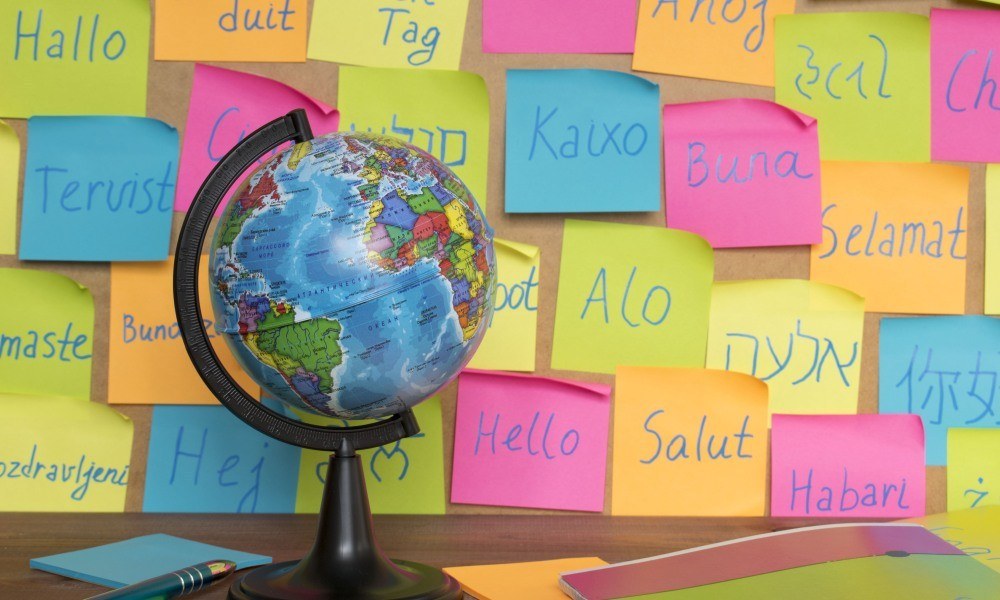
“Valuing multilingual students’ skills” from www.teachermagazine.com
Expanding your site into multiple languages creates enormous SEO opportunities—effectively multiplying your potential search visibility across global markets. However, multilingual SEO involves specific technical considerations beyond standard optimization practices. When implemented correctly, these techniques help search engines understand the relationship between your language versions and rank each appropriately in its target market. For those looking to enhance their site’s functionality, consider exploring Elementor add-ons to expand your site’s capabilities.
Language-Specific URL Structures
URL structure fundamentally impacts how search engines categorize and rank your multilingual content. WPML offers three primary URL structure options: language directories (example.com/fr/page/), domains (fr.example.com/page/), or parameters (example.com/page/?lang=fr). For most sites, the directory approach provides the optimal balance of SEO benefits, implementation simplicity, and user clarity. This structure clearly signals language context to both search engines and users while maintaining your domain authority across all language versions.
Beyond basic structure, consider localizing URL slugs rather than directly translating them. A blog post titled “Winter Gardening Tips” might use the slug “winter-gardening-tips” in English, but simply translating this to “conseils-de-jardinage-d-hiver” in French misses SEO opportunities. Instead, research what French speakers actually search for when looking for winter gardening advice, which might be “jardinage-pendant-l-hiver” or another phrase entirely. WPML allows complete customization of URL slugs for each language, enabling this keyword-optimized approach.
For businesses targeting specific geographic regions, consider supplementing language directories with country-specific subdomains or directories when market separation is important. A company targeting both France and Canada might use example.com/fr-fr/ and example.com/fr-ca/ to distinguish these markets. This granular approach helps search engines understand your intended audience precision and can improve rankings in local search results within each specific region.
Translating Meta Data and Schema
Comprehensive multilingual SEO requires translation of all metadata elements, not just visible page content. WPML integrates with popular SEO plugins like Yoast SEO and Rank Math, allowing translation of meta titles, descriptions, focus keywords, and social sharing metadata. These translated elements ensure your content appears correctly in search results and social shares for each language, with appropriate keywords and compelling descriptions tailored to each market.
Schema markup presents particular challenges in multilingual contexts, as it must remain structurally consistent while adapting content for each language. WPML handles this elegantly, allowing translation of schema content while preserving the technical structure required by search engines. This capability ensures that rich results like product ratings, recipe details, or event information appear correctly in language-specific search results without requiring duplicate technical implementation. For those interested in enhancing their website’s design, consider exploring Elementor’s theme builder guide to create stunning multilingual sites.
Image optimization also requires language-specific attention. Translate image filenames, alt text, captions, and titles to include language-appropriate keywords that match user search patterns in each market. This thorough approach ensures your visual assets contribute to your SEO performance across all languages. For maximum effect, consider adapting not just the text descriptions but the actual images to feature regionally relevant visuals that will engage users in each target market.
Hreflang Tags and How WPML Handles Them
Hreflang tags serve as critical multilingual SEO signals, telling search engines which language version to show users based on their language preferences and location. WPML automatically generates and manages these tags, implementing them as both HTML head elements and in your XML sitemap. This dual implementation ensures search engines clearly understand the relationship between your different language versions regardless of how they discover your content.
Fixing Common Multilingual Website Problems
Even with powerful tools like WPML and Elementor, multilingual implementations can encounter challenges that affect user experience or search visibility. Understanding common issues and their solutions helps you quickly resolve problems before they impact your international growth. Most multilingual website problems fall into a few categories: translation completeness, technical integration issues, and performance considerations.
The good news is that the combination of WPML and Elementor creates a stable, well-tested environment with fewer potential issues than custom-coded multilingual solutions. Both tools receive regular updates and have dedicated support teams specializing in multilingual implementation. When issues do arise, they’re typically well-documented with clear resolution paths.
“The most common multilingual website problems stem from incomplete translation coverage rather than technical issues. A systematic audit process can identify these gaps before they affect user experience.” – WPML Technical Documentation
Regular multilingual site audits help identify and resolve issues before they impact users. WPML provides built-in reports showing translation status across your site, highlighting missing translations and recently updated content requiring translation review. Schedule these audits monthly for actively updated sites to maintain translation quality and completeness across all language versions. For those using Elementor, consider exploring Elementor theme builder guides to enhance your site’s functionality alongside WPML.
Missing Translations Troubleshooting
- Check WPML’s String Translation module for untranslated theme and plugin text
- Review dynamic content sources like custom fields and widgets for missing translations
- Examine navigation menus, which sometimes require separate translation from page content
- Inspect custom templates and global widgets for untranslated elements
- Verify form labels, error messages, and submission confirmations are fully translated
The most common multilingual issue is incomplete translation coverage, where certain elements appear in the default language despite the user selecting a different language. WPML’s Translation Management dashboard helps identify these gaps by showing translation completion percentages for each content type. Pay particular attention to dynamically generated content, which sometimes falls outside standard translation workflows. This includes content from custom fields, shortcodes, and third-party plugins that might bypass WPML’s normal translation process. For example, navigation menus often require special attention to ensure they are fully translated.
For Elementor-specific missing translations, examine template components and global widgets, which sometimes require separate translation from the pages where they appear. The WPML → Translation Management → Elementor Strings section specifically targets these elements, ensuring comprehensive translation coverage. Also verify that Elementor’s Template Library items you’ve imported have been properly registered for translation, as these sometimes require manual addition to the translation workflow.
String translation gaps frequently occur in functional text elements like form validation messages, pagination controls, and filter labels. These strings often come from themes or plugins rather than page content, requiring translation through WPML’s String Translation interface rather than the standard content translation workflow. Conduct user testing in each language, performing common site interactions to identify these functional text elements that might need translation attention.
Language Switcher Display Issues
Language switcher visibility problems typically stem from styling conflicts or responsive design issues. If your language switcher disappears on certain screen sizes, check Elementor’s responsive visibility settings to ensure it remains visible across all breakpoints. For styling conflicts, inspect the language switcher using browser developer tools to identify which CSS rules might be affecting its appearance, then use Elementor’s Advanced tab to add custom CSS addressing these conflicts.
Some language switcher issues relate to flag icon display, particularly for languages spanning multiple countries. If flag icons appear distorted or inappropriate for certain markets, use WPML’s language settings to customize which flag represents each language. For languages spoken across diverse regions (like Spanish or English), consider using language name text instead of potentially problematic flag icons, or use neutral flag designs representing the language rather than specific countries. For more tips on improving your site’s design, check out these eye-catching gallery design tips.
For menu-based language switchers, integration problems can occur after menu restructuring or theme updates. Verify that your language switcher is still properly assigned to the correct menu location in both WPML settings and WordPress menu configuration. If using Elementor Pro’s custom menu widgets, ensure the WPML display options are correctly configured in both the widget settings and WPML’s language switcher configuration panel for consistent behavior across your site.
Handling Plugin Conflicts
Plugin conflicts in multilingual sites typically occur when plugins generate content dynamically without registering it for translation with WPML. The solution usually involves enabling compatibility modules in WPML → Settings → Compatibility or updating to the latest plugin versions where compatibility improvements have been implemented. For Elementor specifically, ensure that both WPML and Elementor are updated to their latest versions, as both development teams regularly release compatibility improvements addressing edge cases in their integration.
Performance Optimization for Multiple Languages
Multilingual sites naturally contain more content than monolingual sites, potentially affecting performance if not properly optimized. Implement a robust caching strategy that accounts for language variations, using plugins like WP Rocket or LiteSpeed Cache with WPML compatibility enabled. Consider a content delivery network (CDN) with regional edge locations matching your target markets to improve loading speeds for international visitors. WPML’s built-in performance features, including its caching system and database optimization tools, help maintain speed across all language versions without requiring extensive technical configuration.
Take Your Site Global Today
Expanding your website into multiple languages represents one of the highest-return investments available for online businesses today. With over 75% of global consumers preferring to shop in their native language, the combination of WPML and Elementor removes the technical barriers that once made multilingual implementation prohibitively complex and expensive. Whether you’re targeting new international markets, improving service to existing multilingual customers, or strengthening your SEO position globally, these powerful tools provide a streamlined path to achieving your global growth objectives.
Frequently Asked Questions
As you embark on your multilingual journey, you’ll likely encounter questions about specific implementation details and best practices. These frequently asked questions address the most common considerations when building multilingual websites with WPML and Elementor, providing practical guidance for both new implementations and ongoing optimization of existing multilingual sites.
How many languages can I add with WPML and Elementor?
WPML allows you to add an unlimited number of languages to your website, with no technical restrictions on how many language versions you can create. The practical consideration is maintenance rather than technical limitations—each language adds translation and updating requirements to your workflow. Most businesses start with 2-5 strategic languages targeting their primary international markets, then expand based on performance data and business growth. Elementor fully supports all languages available in WPML, including right-to-left languages and character-based writing systems.
Do I need to create separate Elementor templates for each language?
In most cases, you don’t need separate templates for each language. WPML translates your existing Elementor templates while preserving their design structure, animations, and functionality. The translated content replaces the original text while maintaining all design elements and interactive features. This approach dramatically reduces maintenance overhead since design updates to your primary template automatically apply across all language versions.
For specific situations requiring cultural adaptation beyond simple translation, WPML does support language-specific templates. This feature proves valuable for landing pages targeting different cultural markets, promotional content referencing region-specific events, or designs requiring fundamental restructuring for right-to-left languages. The best practice is to share templates whenever possible for maintenance efficiency while implementing language-specific templates only where meaningful cultural adaptation justifies the additional maintenance investment. For those interested in enhancing their website’s adaptability, exploring Elementor’s mobile responsiveness tools can be beneficial.
When using Global Widgets and Theme Styles in Elementor, these shared design elements maintain consistency across language versions while their content gets translated. This powerful capability ensures brand consistency while still delivering localized content, creating the ideal balance between design efficiency and linguistic customization. For those new to this process, our Elementor Theme Builder Guide offers a comprehensive introduction to creating stunning websites.
Can I use automatic translation with WPML and Elementor?
Yes, WPML offers automatic translation through integration with services like DeepL and Google Translate, which can be applied to all Elementor content. This capability provides a cost-effective way to translate large volumes of content quickly, particularly for internal content, technical documentation, or other materials where absolute linguistic perfection is less critical than comprehensive language coverage.
The most effective approach for most businesses is a hybrid translation strategy. Use automatic translation for initial content creation or internal-facing materials, then apply human review and editing to customer-facing marketing content where linguistic nuance significantly impacts conversion rates. WPML supports this workflow through its translation management system, allowing different translation methods for different content types within the same website.
For Elementor-specific content, automatic translation handles most widget types effectively but may require manual review for content with specific formatting requirements or character limitations. Button text, image captions, and form labels particularly benefit from human review after automatic translation to ensure they maintain both their meaning and their design integrity within your Elementor layouts.
Will my Elementor animations and effects work in all languages?
Yes, all Elementor animations, effects, interactions, and styling remain fully functional across all language versions. WPML preserves the complete design structure and functionality of your Elementor pages, replacing only the textual content during translation. This preservation extends to motion effects, entrance animations, scroll effects, and interactive elements, ensuring consistent user experience regardless of language selection.
For text-dependent animations (like animated typing effects), consider potential issues with text expansion in certain languages. An animation timed perfectly for English text might appear rushed or cut off with longer German or Finnish translations. WPML’s translation interface shows these animated elements in context, allowing translators to adapt content length appropriately or signaling to designers where timing adjustments might be necessary.
Advanced interactions created with Elementor’s Action features or custom JavaScript typically function identically across language versions without requiring any adaptation. However, if these interactions involve specific text content (like filtering based on text values or triggering events based on text input), verify their functionality in each language to ensure consistent behavior throughout your multilingual site.
How do I handle WooCommerce products in multiple languages?
WPML provides comprehensive support for WooCommerce multilingual stores, allowing translation of all product elements including titles, descriptions, attributes, categories, tags, and custom fields. This integration extends to Elementor’s WooCommerce widgets, ensuring that product displays, category grids, and shop pages present language-appropriate content based on the user’s language selection.
Beyond basic text translation, effective multilingual e-commerce requires attention to functional elements like pricing, shipping options, and payment methods. WPML’s WooCommerce Multilingual module allows you to customize these elements by language, setting different prices in local currencies, offering region-appropriate shipping methods, and displaying payment options relevant to each market. These capabilities create truly localized shopping experiences that significantly improve conversion rates in international markets.
Product reviews present a unique multilingual challenge that WPML handles through its review synchronization features. You can choose to share reviews across all language versions (showing all customer feedback regardless of language) or display only reviews written in the user’s selected language. For businesses building international credibility, the shared approach typically works best initially, while established brands with substantial review volume might prefer language-specific filtering for maximum relevance. WPML supports both approaches through simple configuration options in its WooCommerce integration settings.


Leave a Reply