
Creating a website that stands out is essential for any business aiming to make a mark in the digital world. One of the first steps in achieving this is selecting the right WordPress theme. OceanWP is a standout choice, known for its flexibility and ease of customization, making it ideal for businesses of all sizes. Let’s dive into how you can make the most of OceanWP for your business website.
Key Takeaways
- OceanWP is a versatile WordPress theme that offers extensive customization options, making it suitable for various business needs.
- Choosing the right theme can significantly impact your website’s success by enhancing user experience and supporting business goals.
- OceanWP’s key features include responsive design, SEO optimization, and integration with e-commerce platforms.
- Assessing your business needs and goals is crucial to selecting the best OceanWP demo for your website.
- Using OceanWP extensions and customizing your site can further enhance functionality and align it with your brand identity.
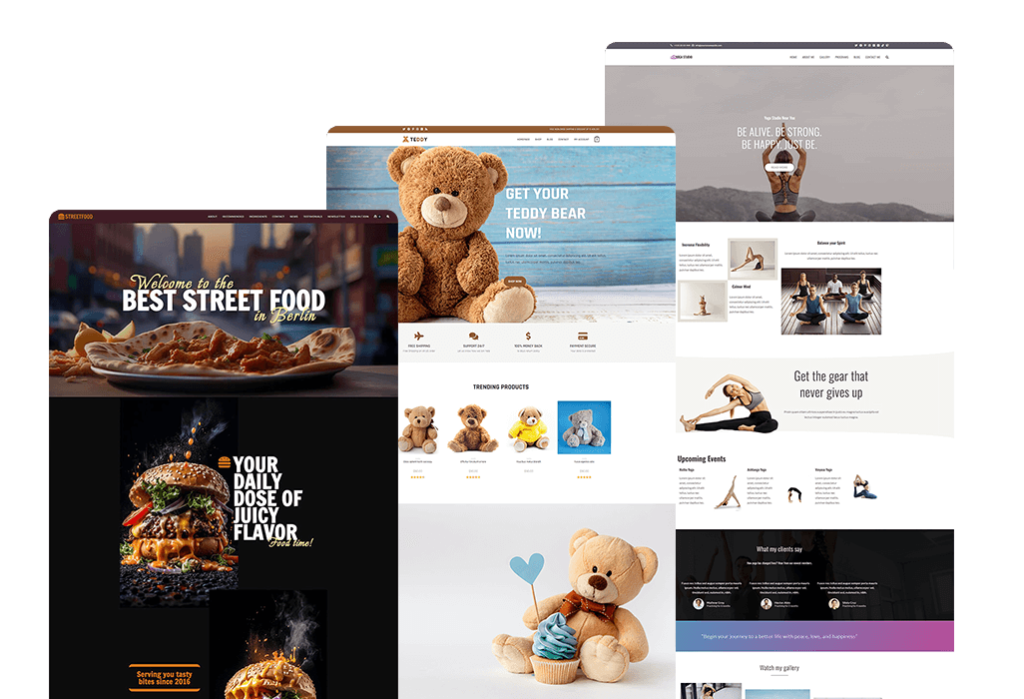
“Free Multi-Purpose WordPress Theme” from oceanwp.org
Choosing the Right OceanWP Theme for Business
Choosing a theme for your business website is not just about aesthetics. It’s about aligning the theme’s capabilities with your business objectives. OceanWP offers a range of demos and features that cater to different business models, from e-commerce to corporate portfolios. The goal is to find a theme that not only looks good but also functions seamlessly to support your business operations.
Importance of Theme Selection in Business Success
Your website is often the first point of contact with potential customers. Therefore, selecting a theme that reflects your brand and provides a positive user experience is vital. A well-chosen theme can improve engagement, reduce bounce rates, and ultimately drive conversions. OceanWP, with its modern design and robust functionality, is designed to do just that.
Key Features of OceanWP for Businesses
OceanWP stands out for its impressive range of features that cater to business needs. These features include:
- Responsive Design: Ensures your website looks great on all devices.
- SEO Optimization: Built-in features to help your site rank higher on search engines.
- E-Commerce Ready: Seamless integration with WooCommerce for online stores.
- Customization Options: Extensive settings to tailor your site to your brand.
Business Needs and Goals Assessment
Before diving into theme selection, it’s crucial to assess your business needs and goals. Ask yourself:
- What is the primary purpose of your website? Is it to sell products, provide information, or showcase a portfolio?
- Who is your target audience, and what are their preferences?
- What features are essential for your website’s functionality?
Answering these questions will help you narrow down the options and choose an OceanWP demo that aligns with your business objectives.
Key Features of OceanWP for Business Websites
OceanWP is packed with features that make it an excellent choice for business websites. For a comprehensive understanding, check out this OceanWP WordPress Theme Review to explore some of these features in detail.
Responsive Design and Mobile Optimization
In today’s digital age, having a mobile-friendly website is non-negotiable. OceanWP’s responsive design ensures that your site adapts to any screen size, providing a seamless experience for users on smartphones, tablets, and desktops. This adaptability is crucial for maintaining engagement and ensuring accessibility for all users.
- Improves user experience across devices.
- Increases time spent on site by mobile users.
- Boosts SEO rankings, as search engines prioritize mobile-friendly sites.
Most importantly, a responsive design helps you reach a broader audience, as more people access websites via mobile devices. For more insights, check out this OceanWP review to see how it enhances mobile responsiveness.
Integration with E-Commerce Platforms
If your business involves selling products or services online, OceanWP’s integration with WooCommerce is a game-changer. This feature allows you to set up an online store with ease, offering a range of options to customize your product pages, checkout process, and more.
Here’s how OceanWP supports e-commerce:
- Seamless WooCommerce integration for easy online store setup.
- Customizable product pages to highlight features and benefits.
- Flexible checkout options to enhance user experience.
By leveraging these features, you can create an online store that not only looks professional but also functions efficiently to drive sales.
SEO Optimization and Performance Enhancements
Search engine optimization (SEO) is crucial for increasing your website’s visibility. OceanWP comes equipped with features that enhance your site’s SEO, helping it rank higher in search engine results.
Some of the SEO benefits of using OceanWP include:
- Clean and optimized code that improves site speed.
- Schema markup support to enhance search engine understanding.
- Compatibility with popular SEO plugins for advanced optimization.
Therefore, by utilizing OceanWP’s SEO features, you can improve your site’s performance and attract more organic traffic.
Customization Options and Flexibility
One of the standout features of OceanWP is its unparalleled customization options. This flexibility allows businesses to tailor their website’s appearance and functionality to align with their unique brand identity and operational needs. Whether you are running a small local business or a large enterprise, OceanWP offers a range of tools to help you achieve your desired look and feel.
OceanWP’s customizer is intuitive and user-friendly, making it easy for even beginners to navigate. With a few clicks, you can change colors, fonts, layouts, and more. This flexibility ensures that your website remains consistent with your brand image, which is crucial for building trust and recognition among your audience. For those looking to enhance their page designs further, consider these Elementor page customization tips.
Besides that, OceanWP supports various page builders like Elementor, Beaver Builder, and WPBakery, further enhancing your ability to create a website that stands out. These integrations allow you to design custom layouts without any coding knowledge, giving you the creative freedom to bring your vision to life.
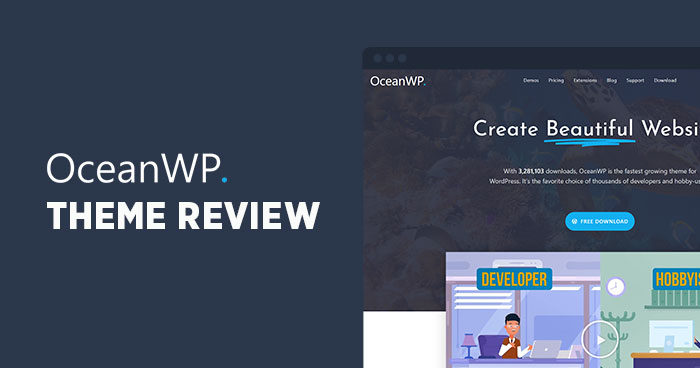
“OceanWP Theme Review – A Great …” from www.cloudways.com
Selecting the Best OceanWP Demo for Your Business
Choosing the right demo is an essential step in setting up your OceanWP-powered business website. OceanWP offers a wide array of demos, each designed to cater to different industries and business models. The key is to select a demo that not only aligns with your business goals but also resonates with your target audience.
Understanding Demo Options and Their Purposes
OceanWP provides a collection of pre-built demos that serve as a starting point for your website design. Each demo is crafted with a specific purpose in mind, whether it’s for a restaurant, a portfolio, or an e-commerce store. By understanding the purpose of each demo, you can choose one that fits your business needs.
For example, if you run a retail store, selecting a demo with e-commerce capabilities will streamline the setup process, as it comes pre-configured with essential features like product galleries, shopping carts, and checkout pages.
Assessing Demo Suitability for Your Business
To determine the best demo for your business, consider the following:
- Industry Relevance: Does the demo cater to your specific industry?
- Feature Requirements: Does it include the features you need, such as contact forms or booking systems?
- Design Aesthetics: Does the design align with your brand’s style and message?
By evaluating these factors, you can narrow down your choices and select a demo that will effectively support your business operations and marketing strategies.
Installation and Initial Setup of Selected Demo
Once you’ve chosen a demo, the next step is installation and setup. OceanWP simplifies this process with its one-click demo import feature. This feature allows you to import all demo content, settings, and layouts in just a few minutes, giving you a solid foundation to build upon.
Here’s how to get started with optimizing your website for search engines: consider using tools like Yoast SEO for beginners.
- Navigate to the OceanWP theme panel in your WordPress dashboard.
- Select the ‘Demo Import’ option and browse through the available demos.
- Click on the ‘Import’ button next to your chosen demo.
- Wait for the import process to complete, then customize the imported content to suit your needs.
This straightforward process ensures that you can quickly launch your website and start attracting visitors.
Optimizing OceanWP for Business Success
After setting up your demo, optimizing your OceanWP site is crucial for maximizing its potential. This involves enhancing functionality, improving user experience, and ensuring your site runs smoothly.
By focusing on these areas, you can create a website that not only looks great but also performs well, helping you achieve your business goals more effectively. For example, implementing Elementor page customization tips can significantly enhance your site’s appearance and functionality.
Using Extensions for Enhanced Functionality
OceanWP offers a range of extensions that can significantly enhance your website’s functionality. These extensions allow you to add features such as custom widgets, pop-ups, and social sharing buttons, providing a more interactive and engaging experience for your users.
Consider the following extensions to boost your site:
- Ocean Extra: Adds essential features and settings for improved site management.
- Sticky Header: Keeps your header visible as users scroll down the page, improving navigation.
- Modal Window: Create pop-ups for promotions, newsletter sign-ups, or important announcements.
Example: “By using the Sticky Header extension, a local bakery was able to increase their website’s engagement by keeping their menu and contact information easily accessible to visitors.”
These extensions not only enhance user experience but also help you achieve specific business objectives, such as increasing conversions or boosting customer engagement.
Customizing Design to Reflect Branding
Your website should be a reflection of your brand’s identity. With OceanWP, you have the tools to customize every aspect of your site, from colors and fonts to layouts and graphics. This level of customization ensures that your website remains consistent with your brand’s voice and message.
Take the time to personalize your site by:
- Matching your website’s color scheme with your brand’s colors.
- Using fonts that align with your brand’s style and tone.
- Incorporating your logo and other brand elements into the design.
By doing so, you create a cohesive brand experience that resonates with your audience and strengthens your brand’s presence online.
Improving Site Speed and User Experience
Site speed is a critical factor in user experience and search engine rankings. A slow website can frustrate visitors and drive them away, while a fast-loading site keeps them engaged and encourages them to explore further.
To optimize your OceanWP site’s speed, consider the following tips:
- Optimize images to reduce loading times.
- Enable caching to improve performance.
- Minimize the use of heavy plugins that can slow down your site.
By focusing on these areas, you can ensure that your website provides a smooth and enjoyable experience for users, ultimately leading to higher engagement and better business results.
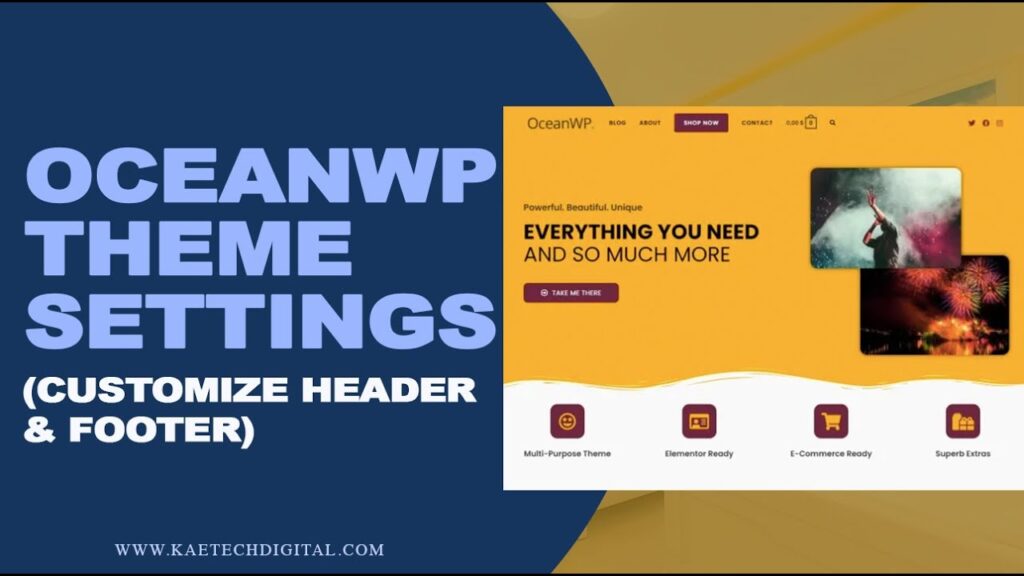
“OceanWP Theme Customization Settings …” from m.youtube.com
Common Challenges and Solutions
As with any website development process, using OceanWP can present certain challenges. However, understanding these issues and knowing how to address them can make your experience smoother and more rewarding.
Troubleshooting Common Issues
One common issue users face is plugin conflicts, which can cause your website to malfunction. To resolve this, ensure all your plugins are up-to-date and compatible with the latest version of OceanWP. If a problem arises, deactivate all plugins and reactivate them one by one to identify the culprit. For advanced page customization, you might want to explore Elementor page customization tips to enhance your website’s design.
Another frequent challenge is slow site speed, often caused by unoptimized images or excessive use of plugins. Compress your images and limit the number of plugins to improve performance. Regularly check your site’s speed using tools like Google PageSpeed Insights to ensure it meets user expectations.
Balancing Design and Functionality
While it’s tempting to prioritize aesthetics, functionality should not be compromised. A beautiful site is useless if it doesn’t serve its intended purpose. Therefore, balance your design with practical features that enhance user experience.
Consider the needs of your audience and ensure your site is easy to navigate. Use clear calls-to-action and intuitive menus to guide visitors through your site. Remember, the goal is to create a website that is both visually appealing and highly functional.
Leveraging Community and Support Resources
OceanWP boasts a vibrant community and extensive support resources. If you encounter challenges, tap into these resources for assistance. The OceanWP support forums are a great place to connect with other users and find solutions to common problems.
Additionally, OceanWP offers comprehensive documentation and tutorials to guide you through the setup and customization process. Utilize these materials to deepen your understanding and improve your site’s performance.
Conclusion: Making OceanWP Work for Your Business
OceanWP is a powerful tool that can help you create a stunning and functional business website. By carefully selecting a demo, customizing your design, and optimizing performance, you can build a site that supports your business goals and enhances your brand’s online presence.
Remember, the key to success is aligning your website with your business objectives and continuously refining it to meet the needs of your audience. With OceanWP, you have the flexibility and tools to create a website that truly stands out.
Frequently Asked Questions
Here are some common questions about using OceanWP for business websites, along with concise answers to help you make informed decisions.
Why is OceanWP considered good for business websites?
OceanWP is highly regarded for its versatility, ease of customization, and extensive feature set, making it suitable for various business needs. Its responsive design, SEO optimization, and compatibility with popular page builders and e-commerce platforms make it an excellent choice for creating professional business websites.
Can OceanWP handle an online store efficiently?
Yes, OceanWP integrates seamlessly with WooCommerce, making it ideal for online stores. It offers customizable product pages, flexible checkout options, and other essential e-commerce features, enabling you to set up and manage an online store with ease.
What should I look for when choosing an OceanWP demo?
When selecting a demo, consider its relevance to your industry, the features it offers, and its design aesthetics. Ensure the demo aligns with your business goals and can be easily customized to reflect your brand identity. By choosing the right demo, you can create a website that effectively supports your business objectives.


Leave a Reply