
Key Takeaways:
- Optimizing images can improve your website’s loading speed and overall performance.
- Smush offers both lossless and lossy compression to maintain image quality while reducing file size.
- Lazy loading can significantly enhance page speed by loading images only when they’re needed.
- Converting images to the WebP format can further decrease file sizes without compromising quality.
- Smush is user-friendly and ideal for WordPress users aiming to optimize images effortlessly.
The Importance of Image Optimization

“Mobile Image Optimization” from cloudinary.com
Images play a crucial role in the visual appeal and effectiveness of a website. However, they can also be a significant drag on performance if not optimized properly. Large image files can slow down page load times, leading to a poor user experience and lower search engine rankings.
Impact on Website Performance
When images are not optimized, they can increase the time it takes for a webpage to load. This delay can frustrate users and cause them to leave your site before it even fully loads. In today’s fast-paced digital world, every second counts. Studies have shown that even a one-second delay in page load time can result in a 7% reduction in conversions.
Besides that, search engines like Google consider page speed as a ranking factor. Websites that load quickly are more likely to appear higher in search results, which can lead to increased traffic and visibility.
Role in User Experience and SEO
- Faster loading times improve user satisfaction and engagement.
- Optimized images contribute to better mobile performance.
- Image optimization supports accessibility by allowing faster screen reader performance.
Moreover, optimized images can reduce the amount of data users need to download, which is especially important for mobile users with limited data plans. This can lead to longer visits and more page views, enhancing the overall user experience.
Common Misconceptions About Image File Size
Many people believe that reducing an image’s file size will inevitably result in a loss of quality. However, this isn’t necessarily true. Modern image optimization techniques, like those offered by Smush, allow for significant reductions in file size without a noticeable drop in quality. By removing unnecessary metadata and using advanced compression algorithms, you can maintain the visual integrity of your images while making them web-friendly.
How Smush Streamlines Image Optimization
Smush is a powerful tool designed to simplify the image optimization process. Whether you’re a beginner or a seasoned web developer, Smush offers a range of features that make it easy to enhance your site’s performance without sacrificing image quality.
Starting with Lossless Compression
Lossless compression is a method that reduces file size without any loss of quality. Smush uses this technique to strip away unnecessary data from your images, such as metadata and hidden information, while keeping the image visually intact. This is particularly useful for images where maintaining the highest quality is essential, such as product photos or portfolio pieces.
Exploring Lossy Compression for Greater Efficiency
For those looking to achieve even greater reductions in file size, Smush offers lossy compression options. This method sacrifices a small amount of quality for a significant decrease in file size. It’s an excellent choice for images where slight quality changes are acceptable, such as background images or thumbnails.
Lossy compression is ideal for web pages that are image-heavy and need to load quickly. By using Smush’s lossy compression, you can ensure your site remains fast and efficient, even with a large number of images. For those looking to enhance site performance further, consider exploring WP Rocket settings for comprehensive optimization.
Using Ultra Smush for Maximum Compression
Ultra Smush is an advanced feature that provides up to five times more compression than standard methods. This powerful tool is perfect for those who need to optimize large image libraries without compromising on quality. With Ultra Smush, you can achieve exceptional compression results, making it a must-have for any serious web developer.
By integrating Ultra Smush into your workflow, you can automate the optimization process and save time, allowing you to focus on other aspects of your website.
Advanced Features of Smush
Beyond basic compression, Smush offers a suite of advanced features designed to take your image optimization to the next level. These tools can help you maximize performance and ensure your site remains competitive in the digital landscape.
Leveraging Lazy Loading
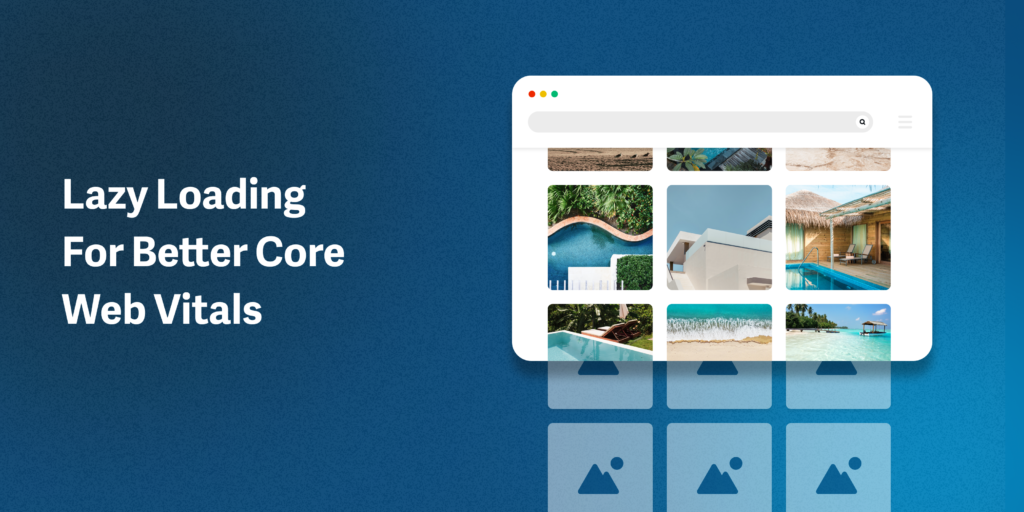
“How Image Lazy Loading Improves Core …” from www.imgix.com
Lazy loading is a technique that delays the loading of images until they are needed, such as when a user scrolls down a page. This can significantly improve page load times, especially for image-heavy websites. By using lazy loading, you can ensure that your site’s resources are used efficiently, providing a smoother experience for your visitors.
Most importantly, lazy loading can reduce server load and bandwidth usage, making it an essential tool for optimizing large websites with many images.
Implementing lazy loading with Smush is simple and straightforward, allowing you to take advantage of this powerful feature with minimal effort.
Benefit of WebP Conversion
WebP is a modern image format that provides superior compression and quality compared to traditional formats like JPEG and PNG. By converting your images to WebP, you can further reduce file sizes without sacrificing visual quality. Smush makes this process easy, allowing you to convert your images with just a few clicks.
Using WebP can lead to faster loading times and improved user experience, making it a valuable addition to any image optimization strategy.
Effectiveness of Bulk and Background Optimization
One of Smush’s standout features is its ability to perform bulk and background optimization. This means you can optimize thousands of images at once, saving you time and effort. Imagine having a library filled with images that need optimization. Instead of manually compressing each one, Smush allows you to process them all in a single action.
Bulk optimization is particularly beneficial for websites that have been running for a while and have accumulated a significant number of images. By running a bulk optimization, you can instantly improve your site’s performance without having to re-upload or individually adjust each image. For more ways to enhance site performance, consider exploring this guide on W3 Total Cache.
Background optimization ensures that any new images you upload are automatically optimized. This seamless process means that you don’t have to worry about optimizing images every time you add new content to your site. It’s a set-it-and-forget-it solution that keeps your site running smoothly.
Getting Started with Smush
Now that we’ve explored the benefits and features of Smush, let’s dive into how you can get started with this powerful tool. Whether you’re a beginner or an experienced webmaster, Smush makes image optimization easy and accessible.
Setting Up Smush on WordPress
Setting up Smush on your WordPress site is a straightforward process. First, navigate to the WordPress dashboard and click on “Plugins” in the sidebar. From there, select “Add New” and search for “Smush” in the plugin repository.
Once you find the Smush plugin, click “Install Now” and then “Activate” to enable it on your site. You’ll see a new “Smush” option in your dashboard menu. Clicking on it will take you to the Smush settings page, where you can configure the plugin to suit your needs.
During the setup process, Smush will guide you through a series of prompts to help you choose the best settings for your site. You can opt for automatic optimization, enable lazy loading, and decide whether to convert images to WebP format.
Navigating the Smush Dashboard
The Smush dashboard is designed to be user-friendly and intuitive. From here, you can access all of the plugin’s features and settings. The dashboard provides a clear overview of your site’s image optimization status, including the number of images optimized and the total savings in file size.
You can also run manual optimizations from the dashboard, allowing you to compress images on demand. This is useful if you’ve made changes to an image and want to re-optimize it for better performance.
Running Your First Bulk Optimization
To run your first bulk optimization, navigate to the “Bulk Smush” tab in the Smush dashboard. Here, you’ll see a list of all the images on your site that can be optimized. Simply click the “Bulk Smush Now” button to start the process. For additional tips on optimizing your site, you might find this WP Rocket settings guide helpful.
Smush will automatically compress and optimize each image, displaying progress in real-time. Depending on the number of images and their sizes, this process may take a few minutes. Once complete, you’ll see a summary of the optimization results, including the total reduction in file size.
Maximizing the Benefits of Smush for Professionals
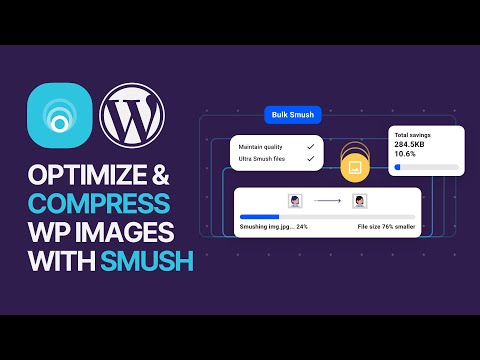
“How To Optimize & Compress WP Site …” from m.youtube.com
For professionals managing multiple websites or handling large image libraries, Smush offers advanced features to streamline your workflow and maximize efficiency. These features are designed to help you get the most out of your image optimization efforts.
Utilizing Multisite Compatibility
If you’re managing a WordPress multisite network, Smush’s multisite compatibility is a game-changer. This feature allows you to optimize images across all sites in your network from a single dashboard. You can apply global settings to ensure consistency and efficiency across all your sites.
Multisite compatibility saves time and resources by eliminating the need to configure and manage each site individually. It’s a powerful tool for agencies and developers who handle multiple client sites.
Detect Incorrect Image Sizes
One of the common issues that can affect website performance is using images that are larger than necessary. Smush can automatically detect and alert you to incorrect image sizes, allowing you to resize them for optimal performance.
- Identify oversized images that slow down your site.
- Receive recommendations for the ideal dimensions for each image.
- Automatically resize images to fit your site’s layout.
By correcting image sizes, you can ensure that your site loads quickly and efficiently, providing a better experience for your visitors.
Incorporating this feature into your optimization strategy can lead to significant improvements in page speed and user engagement.
Harnessing the Power of a Global CDN
Smush offers integration with a global Content Delivery Network (CDN) to further enhance your site’s performance. A CDN stores copies of your images on servers around the world, delivering them to users from the nearest location. This reduces load times and improves the speed at which images are displayed. For those seeking additional ways to scale site performance, exploring caching solutions can be beneficial.
Using a CDN is particularly beneficial for sites with a global audience, as it minimizes latency and ensures a fast, consistent experience for all users. By leveraging Smush’s CDN capabilities, you can maximize your site’s performance and reach a wider audience with ease.
Real-Life Success Stories and Case Studies
Seeing is believing, and nothing illustrates the power of Smush better than real-life success stories and case studies. Many users have experienced significant improvements in their site’s performance and user engagement after implementing Smush.
From small business owners to large enterprises, Smush has helped countless websites achieve their optimization goals, resulting in faster load times, higher search rankings, and increased visitor retention.
Improvement in Page Load Times
One user, a small e-commerce store owner, reported a 40% reduction in page load times after using Smush to optimize their product images. This improvement led to a 20% increase in sales, as customers were more likely to stay on the site and complete their purchases.
By reducing image file sizes and implementing lazy loading, the store owner was able to create a seamless shopping experience that kept customers engaged and satisfied.
Boost in Visitor Retention through Image Optimization
Optimizing images can have a profound impact on visitor retention. When your website loads quickly, users are more likely to stay longer and explore more pages. This not only enhances their experience but also increases the chances of conversions, whether it’s making a purchase, signing up for a newsletter, or filling out a contact form.
“After implementing Smush, our bounce rate decreased by 15%, and we saw a noticeable uptick in page views per session.” – Jane Doe, Website Owner
By using tools like Smush to optimize images, you’re ensuring that your site remains competitive in an increasingly fast-paced digital world. This is crucial for maintaining and growing your audience over time.
SEO Rankings and Visibility Enhancements
Search engines prioritize fast-loading websites, and image optimization plays a key role in achieving this. By reducing image file sizes and implementing features like lazy loading, you can improve your site’s speed and, consequently, its search engine rankings. This means more visibility, more traffic, and ultimately, more success for your online presence.
Final Thoughts on Optimizing Images with Smush
Optimizing images is no longer optional; it’s a necessity for anyone looking to succeed online. With tools like Smush, you can effortlessly enhance your site’s performance, improve user experience, and boost your SEO efforts. Whether you’re running a small blog or a large e-commerce site, Smush provides the tools you need to stay ahead of the competition. For those looking to further improve site performance, consider exploring WP Rocket settings for additional optimization techniques.
Recap of Benefits and Key Takeaways
Throughout this article, we’ve explored how Smush can transform your website by optimizing images without sacrificing quality. By implementing Smush, you can:
- Reduce image file sizes with both lossless and lossy compression.
- Improve page load times with lazy loading and WebP conversion.
- Automate image optimization with bulk and background processing.
- Enhance user experience and SEO performance.
These benefits are not just theoretical; they translate into real-world improvements that can drive your online success.
Recommendations for Continuous Image Optimization
To ensure ongoing success, it’s important to regularly review and optimize your images. Make it a habit to check for oversized images and convert them to WebP format when appropriate. Use Smush’s bulk optimization feature to keep your entire image library in top shape.
Additionally, stay updated with the latest trends and technologies in image optimization. As the digital landscape evolves, so too should your strategies for maintaining a fast and efficient website.
Frequently Asked Questions
As you embark on your image optimization journey with Smush, you may have some questions. Here are answers to a few common inquiries:
Does Smush Support All Image Formats?
Yes, Smush supports a wide range of image formats, including JPEG, PNG, and GIF. It also offers conversion to the WebP format, which is known for its superior compression and quality. For more insights on optimizing your website, check out this WP Rocket settings guide.
How Does Lazy Loading Affect Page Performance?
Lazy loading can significantly enhance page performance by loading images only when they are needed. This reduces initial load times and ensures that users can access content more quickly.
For image-heavy sites, lazy loading can be a game-changer, allowing for smoother navigation and improved user satisfaction.
What is the Optimal Compression Level for Different Use Cases?
The optimal compression level depends on the specific use case and the importance of image quality. For product images or high-resolution photos, lossless compression is ideal to maintain quality. For background images or thumbnails, lossy compression can offer significant file size reductions with minimal quality loss.
Experiment with different settings to find the balance that works best for your site.
How to Measure the Impact of Image Optimization on SEO?
To measure the impact of image optimization on SEO, monitor your site’s loading speed using tools like Google PageSpeed Insights. Observe changes in your search engine rankings and track user engagement metrics such as bounce rate and session duration.
These indicators can provide valuable insights into how your optimization efforts are affecting your site’s performance and visibility.
Can Smush Handle Large Websites with Thousands of Images?
Absolutely. Smush is designed to handle large websites and can optimize thousands of images efficiently. Its bulk and background optimization features make it easy to manage extensive image libraries without overwhelming your resources.
By leveraging Smush’s capabilities, you can ensure that even the largest sites run smoothly and effectively.


Leave a Reply